Phone no: +91 76677 41236

Email: info@s2swebtechnology.com
S2S_logo_03
s2s logo
  • Home
  • About Us
  • Services
    • Website Designing
      • Business Website
        • Responsive Website Designing Company in Trichy
        • Best Basic Web Designing in Trichy
        • Best AMP Website Designing Company in Trichy
  • Products
  • Portfolio
    • Case Studies
    • Gallery
    • Testimonials
  • Resources
    • Blogs
    • FAQ
    • Internship
  • Pricing
  • Team
  • Contact Us
  • Home
  • About Us
  • Services
    • Website Designing
      • Business Website
        • Responsive Website Designing Company in Trichy
        • Best Basic Web Designing in Trichy
        • Best AMP Website Designing Company in Trichy
  • Products
  • Portfolio
    • Case Studies
    • Gallery
    • Testimonials
  • Resources
    • Blogs
    • FAQ
    • Internship
  • Pricing
  • Team
  • Contact Us

Is WordPress Real Coding? 7 Powerful Facts You Must Know

Uncategorized

Is WordPress real coding? Is WordPress real coding? A lot of beginners ask that when they start learning web development. WordPress is a Content Management System or CMS. It lets people build and manage sites pretty easily. It also powers more than 40% of websites on the internet. The confusion comes from two things. You can make sites without writing code. But WordPress itself is built with real programming languages like PHP, HTML, CSS, and JavaScript. So the answer depends on how you use it. If you are starting out,can feel like no-code. You can pick a theme, add plugins, or use page builders like Elementor or Gutenberg and drag things around. You are not typing PHP or editing template files. You are using tools that someone else already coded. Low-code or no-code. That does not mean there is no code. Every feature and layout you see is controlled by programming behind the scenes. Look under the hood and it gets clear. WordPress runs on PHP for server logic and it uses MySQL to store posts, pages, user info, and settings. On the front end there is HTML for structure, CSS for styling, and JavaScript for interactivity. When someone visits a site, those parts work together to show the page. So WordPress is fundamentally a coding system, even if many users never touch the code. For developers it is definitely coding. You can build custom themes by creating files like index.php, style.css, and functions.php. You can write plugins in PHP to add or change features. You use hooks, filters, and APIs to hook into the core. That takes programming knowledge. In that setup you are writing logic, solving problems, and building systems like in other software work. That flexibility is why both beginners and big organizations use WordPress. WordPress development is also a CMS, so it hides complexity behind a simple interface. You can write a post, upload images, or arrange pages without worrying about servers or databases. That ease of use comes from abstraction. Complex stuff runs in the background and you see only the simple controls. Still, every publish action or plugin install runs real code behind the scenes. It supports both no-code and coding approaches. Beginners can get a site online fast without technical skills. Developers can dig in and customize deeply, tweak performance, or add things like e-commerce or membership features. Relying only on plugins can sometimes limit what you can change or cause performance problems. Writing code needs care too, to avoid bugs. So pick the approach that fits your skills and what you need.If you use themes, plugins, and drag-and-drop tools and never write code, you are not doing traditional coding. But if you build themes, write plugins, or change functionality with PHP, HTML, CSS, or JavaScript, you definitely are coding. WordPress works both ways. You can start without code and move toward writing it as you learn. WordPress Without Coding At the beginner level WordPress works as a no-code or low-code platform. You can build sites with pre-built themes, plugins and drag-and-drop builders like Elementor or Gutenberg. You aren’t writing code. You’re using tools that already have code made by developers. That makes creating a website fast and simple and it opens the door for lots of people. So it’s not real coding since you’re not directly doing the programming WordPress development When you dig in past the basics, WordPress turns into a code platform. It runs on PHP, HTML, CSS and JavaScript. Developers use those languages to make custom themes. They also build plugins. And they change how a site works. They write logic and manage databases. They add features. This is actual development work now. It’s real coding when you work deep in WordPress. How WordPress Works Behind the Scenes Even if you don’t write code, WordPress runs on real code behind the scenes. PHP runs the server logic. MySQL stores the data. HTML gives the content its structure and CSS controls the layout. JavaScript adds interactivity. Every action, like loading a page or publishing a post, depends on these technologies. That shows WordPress is built on code. Themes and Plugins in WordPress Themes and plugins matter in WordPress. Themes set the design and layout. Plugins add features. You don’t need to code. Just install and use. But if you can code, you can build your own themes and plugins with PHP, CSS and JavaScript. It shows WordPress works for non-coders and developers.   Advantages of WordPress Word press has a lot going for it for beginners and developers. It’s easy to use and it saves time. You don’t need technical skills to run a basic website. And for developers it’s still flexible, with plenty of ways to customize and add advanced features. That means it works for blogs and business sites. You can even use it for large applications. 1. Easy to Use and Beginner-Friendly A big thing about WordPress is how easy it is to use. Even someone with no technical skills can make and run a website with it. The dashboard is simple. It feels intuitive. You can add pages. Write blog posts. Upload images. Manage content easily. You don’t have to code like with traditional web development. WordPress gives you a visual interface. So it’s great for beginners who want a site fast and don’t want to learn programming languages. 2. No Coding Required Another thing about WordPress. You don’t need to know how to code to build a website. You can install themes and plugins. They change how your site looks and what it can do. Drag-and-drop page builders like Elementor and Gutenberg let you design pages visually. That no-code way saves time. You get to focus on content and creativity, not technical stuff. But if you want more control, WordPress also supports coding. So it works for all kinds of users. 3. Highly Customizable it is very customizable, and that is one of its biggest advantages. There are thousands of free and premium themes

April 24, 2026 / 0 Comments
read more
What Are the 12 Most Common Types of Websites?

What Are the 12 Most Common Types of Websites? 2026 Critical Update

Blog

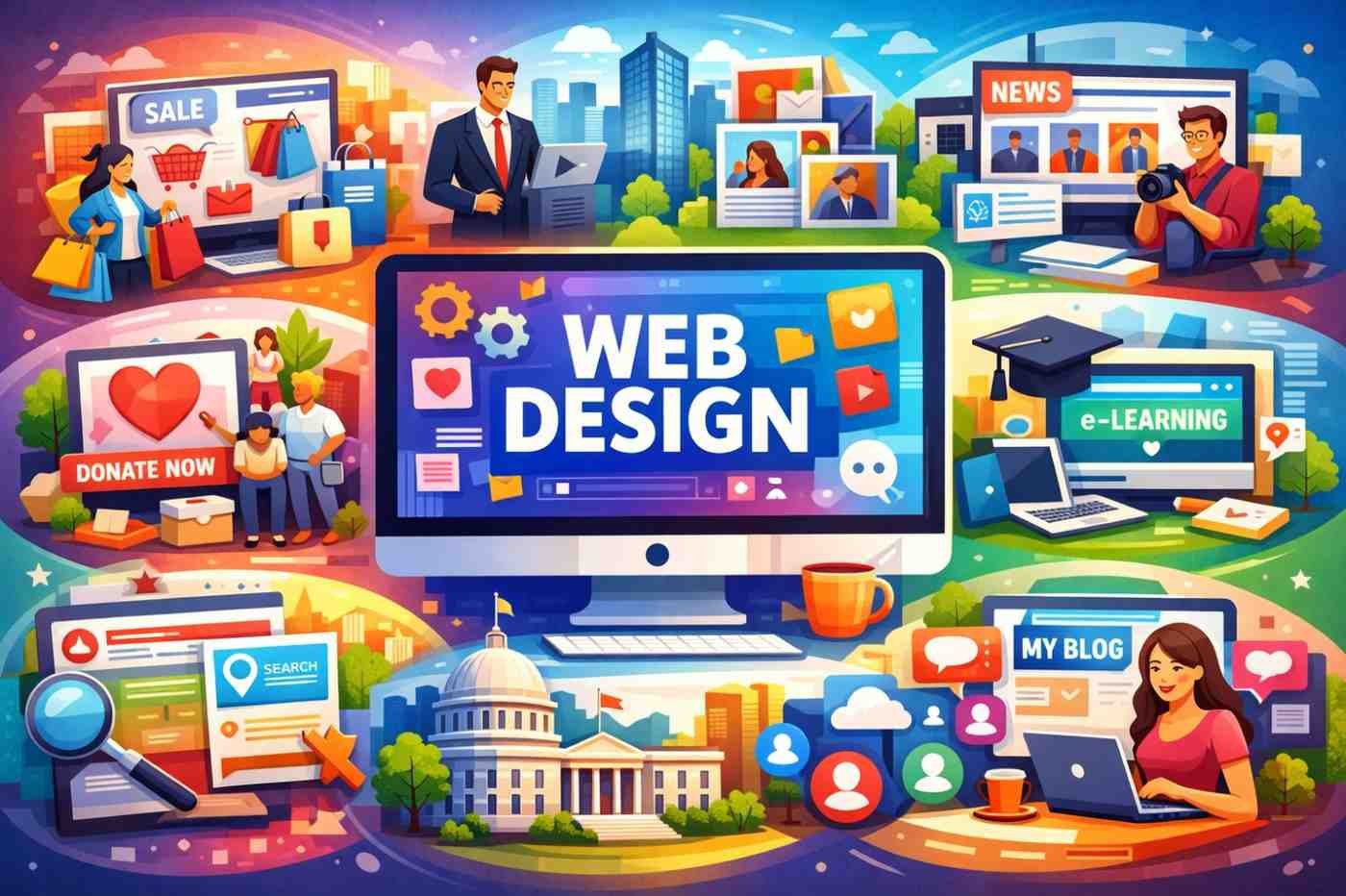
What Are the 12 Most Common Types of Websites? 2026 Critical Update Before you start your next project, it is vital to understand what are the 12 most common types of websites so you can choose the right structure for your goals. The internet is filled with a wide variety of websites, each designed for a distinct purpose and audience. Knowing the most common types helps you understand what your own website might need — whether you’re a business owner, freelancer, or just someone planning a personal site. These categories aren’t always super strict (there’s a lot of overlap), but they give you a clear starting point for deciding on layout, features, and overall feel. Before starting a project, knowing what does a web design company do to customize these 12 site types is essential. A Detailed Guide on What Are the 12 Most Common Types of Websites? 2026 Critical Update E-commerce Websites These are online stores where people buy products or services directly. Think Amazon, Etsy, or any Shopify store. They usually have product pages, shopping carts, secure payment options, and order tracking. The big focus here is making the buying process smooth and trustworthy—because even one small hassle can make someone abandon their cart. Business / Corporate Websites This is the classic “official website” for a company. It tells visitors who you are, what you do, your story, and how to get in touch. These sites are all about building trust and looking professional. They’re not really for selling on the spot, but more for making a solid first impression and supporting sales or marketing efforts. Portfolio Websites Creative professionals—designers, photographers, illustrators, writers—use these to showcase their best work. The design is usually very visual and clean so the projects can shine. A good portfolio site often includes case studies, galleries, and a short bio. It’s one of the most important tools for landing new clients or jobs. Photographers and designers often ask what are the 12 most common types of websites for displaying work; the answer is almost always a high-quality portfolio site. Blog Websites Blogs are regularly updated with articles, stories, opinions, or advice. They can be personal, professional, or even used to promote a business. Successful blogs build a loyal audience and can earn money through ads, sponsorships, or affiliate links. The key is consistent, useful content and good SEO. News or Media Websites These are the sites you visit for the latest headlines, articles, videos, and reports (BBC, The Guardian, CNN, etc.). They handle a huge amount of fresh content every day, so they need fast loading speeds, easy navigation, and strong search features so readers can quickly find what they’re looking for. Educational / E-learning Websites These platforms offer courses, tutorials, lessons, and learning materials. Coursera, Khan Academy, and Udemy are perfect examples. They usually include video players, quizzes, progress tracking, and certificates. Accessibility and ease of use are especially important because students come from all backgrounds and skill levels. Social Network / Community Websites Facebook, LinkedIn, Reddit, and similar platforms fall under this category. These sites enable users to create profiles, connect with others, share content, and participate in discussions. They’re technically quite complex and need strong privacy controls and moderation tools, but the design still has to feel friendly and easy to use. Non-Profit / Charity Websites These websites represent causes—environmental, social, humanitarian, etc. The goal is to share the mission, show real impact, attract volunteers, and encourage donations. They tend to use emotional storytelling, clear calls-to-action, and transparent information to build trust with donors. Government / Public Sector Websites These are official sites run by local, state, or national governments. They provide information and services like form submissions, permit applications, tax filing, or appointment booking. They must be highly accessible, secure, and written in simple language so every citizen can use them easily. Landing Pages A landing page is usually a single-page website built for one specific goal—collecting email addresses, promoting a new product, or getting event registrations. They’re very focused, with almost no navigation, so visitors stay on track and take the desired action. Marketers test these pages constantly to improve results. Directory or Listing Websites These sites collect and organize information in one place — think Yelp, TripAdvisor, or Yellow Pages. Users can search, filter, and read reviews to make better decisions. The design needs to handle lots of data while staying simple and helpful. Personal Websites These are created by individuals to share their story, interests, hobbies, or professional work. Some are simple digital résumés or business cards, while others are more like mini blogs or creative showcases. They give you full creative freedom and are a great way to build your personal brand online. As you can see from these 12 categories, the scope of what does a web design company do is incredibly broad and customizable. FAQ: 1. Can a single website fall into multiple categories? Absolutely. Many modern websites are hybrids. For example, a business website often includes a blog to improve SEO, or a portfolio site might include an e-commerce section to sell digital prints. The 12 categories serve as a blueprint for the primary goal of your site. 2. Which type of website is best for a new small business? Typically, a business/corporate website is the best starting point. It establishes your professional identity and provides essential contact information. If you plan to sell products immediately, you should opt for an e-commerce build. 3. What is the main difference between a landing page and a corporate website? A corporate website is a multi-page site designed for exploration and brand building. A landing page is a single, highly-focused page designed for one specific action, such as signing up for a newsletter or buying a specific product during a marketing campaign. 4. Do I need a blog if I already have a business website? While not mandatory, adding a blog is highly recommended. It allows you to share expertise, keep your site updated with fresh content, and significantly

April 16, 2026 / 0 Comments
read more

You can send is an inquiry for free consultation. Alternatively, send us a mail or give us a call, we’re always excited to talk about how we can help with your IT Solutions.

Facebook-f Instagram X-twitter Linkedin-in

Useful links

  • Services
  • Products
  • Blog
  • Pricing
  • FAQ
  • Contact Us

Where We Are

Services

  • News Portal Website
  • Architect Website
  • Tours & Travels Website
  • Hospital Website
  • School Website
  • Construction Company Website

Services

  • Organic Products Website
  • E Learning System
  • Pharmacy Website
  • Spares Parts Accessories Website
  • Furniture Shop Website
  • Industrial Website Development

Services

  • Responsive Website
  • Ecommerce Website
  • Cloud Based CRM & HRM
  • Hospital ERP Software
  • School ERP Software
  • Cloud Based Pos System
  • Property Management
  • B2B Websites
  • Hospital Web Design
  • Home Builder Website Designs
  • Manufacturing Web Design
  • Professional Services Websites
  • Social Media Marketing
  • Construction Website Design
  • Restaurant Web Design
  • Air travels Websites
  • Doctor Web Design
  • Advertisement Agency Web Designs
  • Food Industry Web Design
  • On page SEO
  • Off page SEO
  • Website Optimization
  • Business Card Design
  • Corporate Website
  • Logo Design
  • Printing Design
  • Brand Identity
  • Flyer Design
  • Banner Design
  • Advertisement Design
  • Dynamic Website
  • Digital Strategy Creation
  • Lead Generation & Sales Campaigns
  • Brand Awareness & Visibility
  • Digital Content Creation & Distribution
  • Digital Marketing Services
  • Website Backlink Building
  • CMS Website
  • Multi Vendor Website
  • Online Store Website
  • Education Website
  • Google Ad Managemant
  • Brochure Design
  • Static Website
  • Classified Website
  • AMP Website Design
  • Andriod App Development
  • Cloud-based CRM
  • Cloud-based POS System
  • Email Marketing Service
  • Facebook Marketing Service
  • Billing Softwate for Supermatket
  • Billing Software for Cafe
  • Billing Software for Departmental Store
  • Billing Software For Garment Business
  • Billing Software for Grocery Shop
  • Billing Software for Home Appliances
  • Billing Software For Pharmacy
  • Billing Software For Stationery Shop
  • Restaurant CRM And Loyalty Software
  • Restaurant Customer Relationship Tool
  • Restaurant Inventory Management Software
  • Restaurant KOT Management Software
  • Restaurant Online ordering & delivery Software
  • Restaurant Online Orders Software
  • Restaurant Recipe Management Software
  • Restaurant Sales & Marketing Campaigns
  • Restaurant Reporting & Analytics Software
  • Restaurant Stock Management Software
  • Restaurant Table Management Software
  • Cloud Based School ERP Software
  • School Software Management System
  • Search Engine Marketing Service
  • Social Media Optimization Service
  • SMS Marketing Services
  • Social Media Marketing Service
  • Website Live Chat Service
  • Website Re-Designing Service
  • Billing Management Software
  • CRM/HRM Software
  • Digital Presence Services
  • GST invoice management software
  • School Management Software
  • CBSE School Management System
  • Accounting Software for Educational Institutions
  • Hospital Management Software
  • Website Design for Spares parts Accessories
  • Website Design for Furniture Shop
  • Billing Software for Logistics Companies
  • POS Software for Cafe
  • Website Development for Organic Product
  • Website development For E-Learning system
  • Appointment Software for Clinics & Hospitals
  • Social Media Marketing Service for Real Estate

© 2026 S2S Web Technology. All Rights Reserved. | Privacy Policy | Terms & Conditions