
Easy to Build a business website with Canva in 2026
Easy to Build a business website with Canva in 2026
The New Age of Simple Business Websites
Easy to Build a business website with Canva in 2026,Most people once thought creating a site meant wrestling with lines of code. Juggling servers, layouts, and updates scared many off. Now? The whole scene has shifted. Using something like Canva lets anyone set up a clean, working website – no programming needed
Out of nowhere, AI tools have made building websites way quicker for companies. Starting fast, Canva mixes ease and clever tech so people set up professional sites through guided prompts. Suddenly, new ventures or solo workers get their name out there sooner, spend less money, yet stand out more online. Our Home Website.
Canva functions like an AI powered website builder
Now Canva works like a smart helper for building websites. Picking designs becomes easier because the system guides each step. From arranging pages to adding text, tasks feel lighter thanks to built-in tools that think ahead
Starting fresh, Canva tosses out the usual clutter that slows people down. Suddenly, making things looks less about rules, more about ideas. At this point, artificial intelligence steps quietly into building sites. It fits right in, smoothing rough edges without taking over
Key advantages include:
- Pre-designed website templates for different industries
- AI design suggestions for colours and fonts
- Drag-and-drop editing system
- Instant mobile-friendly layout optimization
Nothing needs built from scratch. No lines of code involved at all. Setting up tools? Not here. Technical hurdles stay out of the way. Just plug in, nothing more
Easy to Build a business website with Canva in 2026
Starting out with a new site? Canva makes it smooth without needing skills. From first thought to online page – done fast. Jump right in, no learning curve holding you back
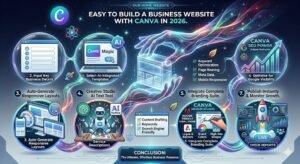
Follow these steps:
-
Select a website layout
Open Canva first, then sign in to begin. Choose “Website” once you’re inside. A design that matches your work will stand out more than others. Go with one of those
-
Adjust with AI ideas
Starting strong, Canva’s AI suggests layout choices once it sees what you’ve added. Fonts pop up next, picked to match your words. Design bits appear later, shaped by the material you provide. What shows depends on how things are arranged at first
-
Add Your Business Content
Start by adding your words, pictures, logos, or brand details. Readability gets a boost when the system adjusts how things are arranged. A smoother flow appears without extra effort from you
-
Use AI tools to improve design
Start by letting smart software tweak gaps between elements on your site. It shifts color tones without needing manual picks. Alignment fixes happen quietly behind the scenes. One tool handles all three at once, working in the background. Space, shade, then positioning – each adjusts itself as needed
-
Publish Your Website Instantly
When everything feels right, hit publish – your site appears online instantly.
Smart tools help build better small business websites
For founders, Canva simplifies what usually feels overwhelming – crafting a web footprint fast without needing tech skills. Websites for small ventures take shape quicker when routine tasks run on their own, guided by clever templates behind the scenes
Smart Canva AI Features
Easy to Build a business website with Canva in 2026
- Auto-generated design layouts
- AI content enhancement suggestions
- Brand kit integration for consistency
- Instant resizing for different screens
Built In SEO Friendly Page Structure
With these tools, a company can look polished even if it has no design team on staff. A business stays sharp by using built-in options instead of outside experts. Looking credible comes easier when templates handle layout and style automatically. Without extra hires, firms still present clean visuals through ready-made setups.
Easy to Build a business website with Canva in 2026
AI tools change how websites are built
What stands out about today’s design platforms, such as Canva, is how they weave AI into building websites. Think of these features as quiet helpers nudging you forward at each stage.
Easy to Build a business website with Canva in 2026
AI helps build websites
- Saves time and reduces manual effort
- Improves design quality automatically
- Enhances user experience
- Reduces the cost of hiring developers
- Helps beginners build professional websites quickly
For beginners jumping into the digital space, Canva often stands out. It just works without needing extra help.
Businesses Choose Canva To Build Websites
Speed matters now more than ever for companies. Simplicity follows close behind it. Performance ties the trio together. With Canva, these pieces fit naturally. Technical headaches stay out of the way
A fresh look for your online presence starts easily, even if you work alone or run a tiny store. Freelancers tap into smart tools just like entrepreneurs launching something new. A clean site appears fast when design meets helpful technology behind the scenes. Modern style shows up without effort, shaped by intuitive steps guiding each choice
Without needing to worry about server upkeep, plugin fixes, or code changes, life gets simpler. Most tasks just click into place through clear visual tools.
Final Thoughts The Smart Way Forward
Start building your small business site with ease when you pick Canva. One thought is all it takes to begin – everything else unfolds on its own. From layout to design, the tools shape themselves around you. No extra steps, just progress that moves at your pace.
Key Insight
“In the digital world, simplicity powered by AI is the new foundation of success. Build smart, build fast, and build with Canva.”